##Setting Up Meta Data Fields##
- Install/Activate
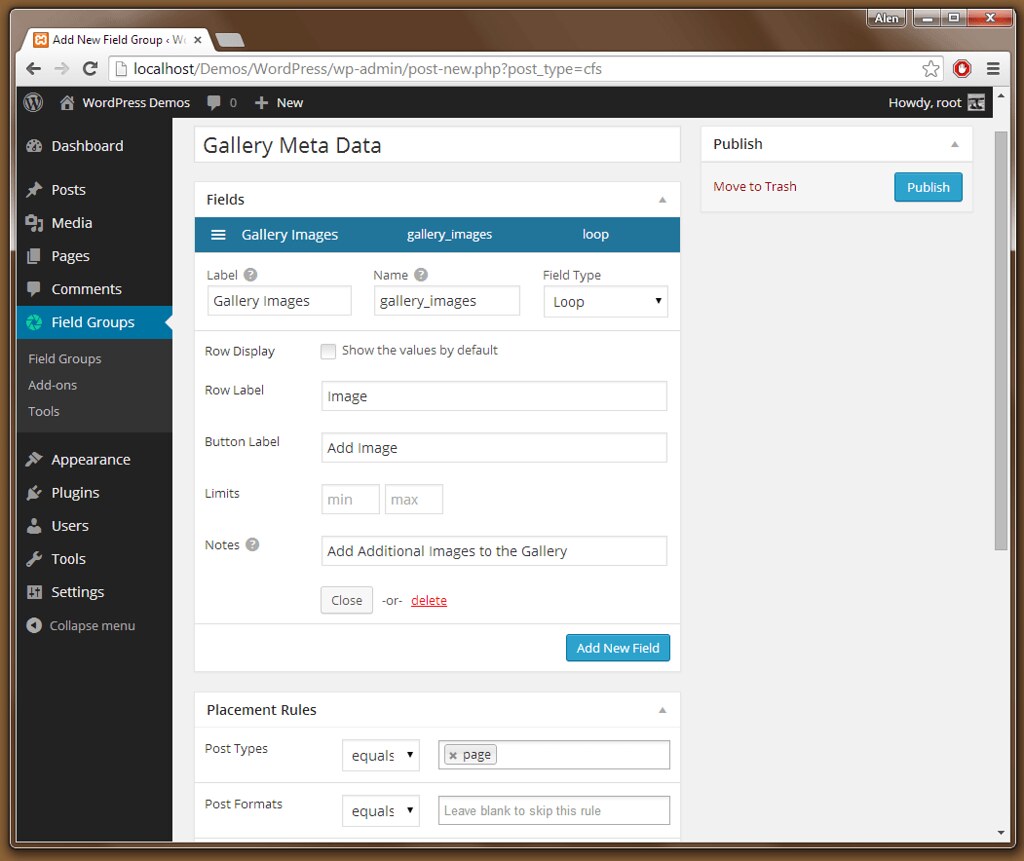
Custom Fields SuiteWordPress Plug-In, Docs - Create new Field Group called
Gallery Meta Data - Add a Field called
Gallery Imagesand set the type asLoop, fill out the rest of the required fields, for placement rules attach this custom meta data to WordPress type ofPageor whatever your requirements are. Hit Publish Figure 1 - Next, Add additional field called
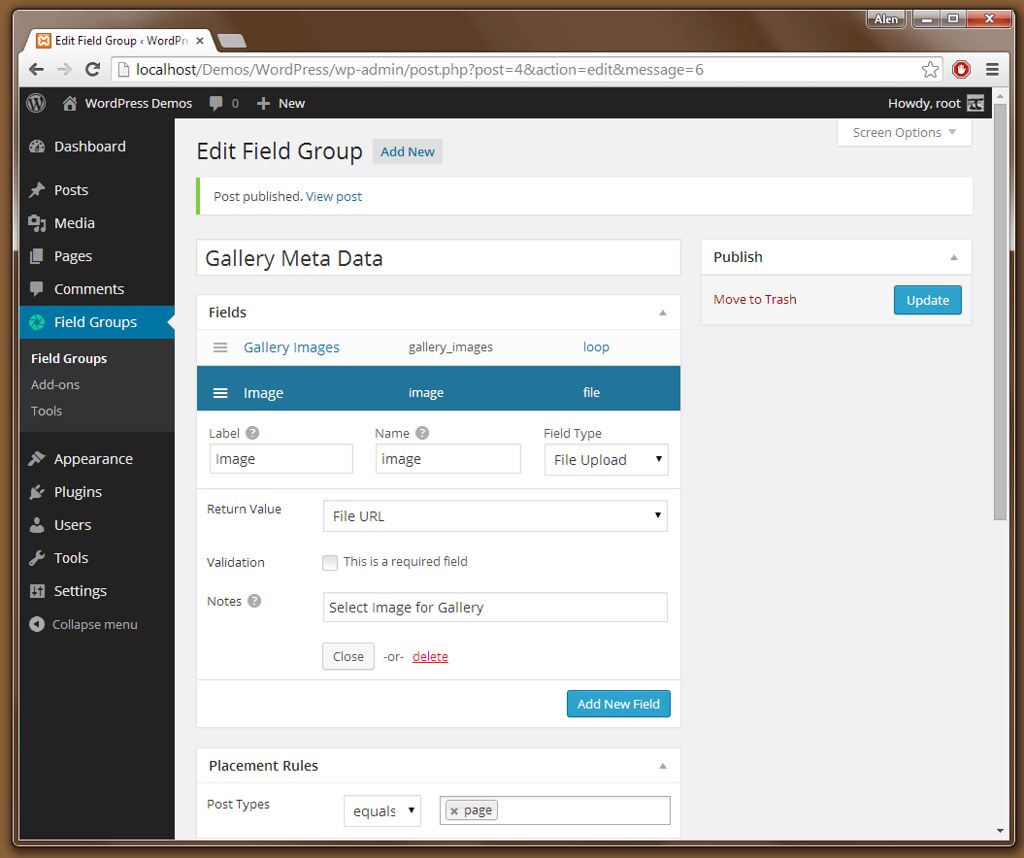
Image. Hit Update Figure 2 - Next, drag
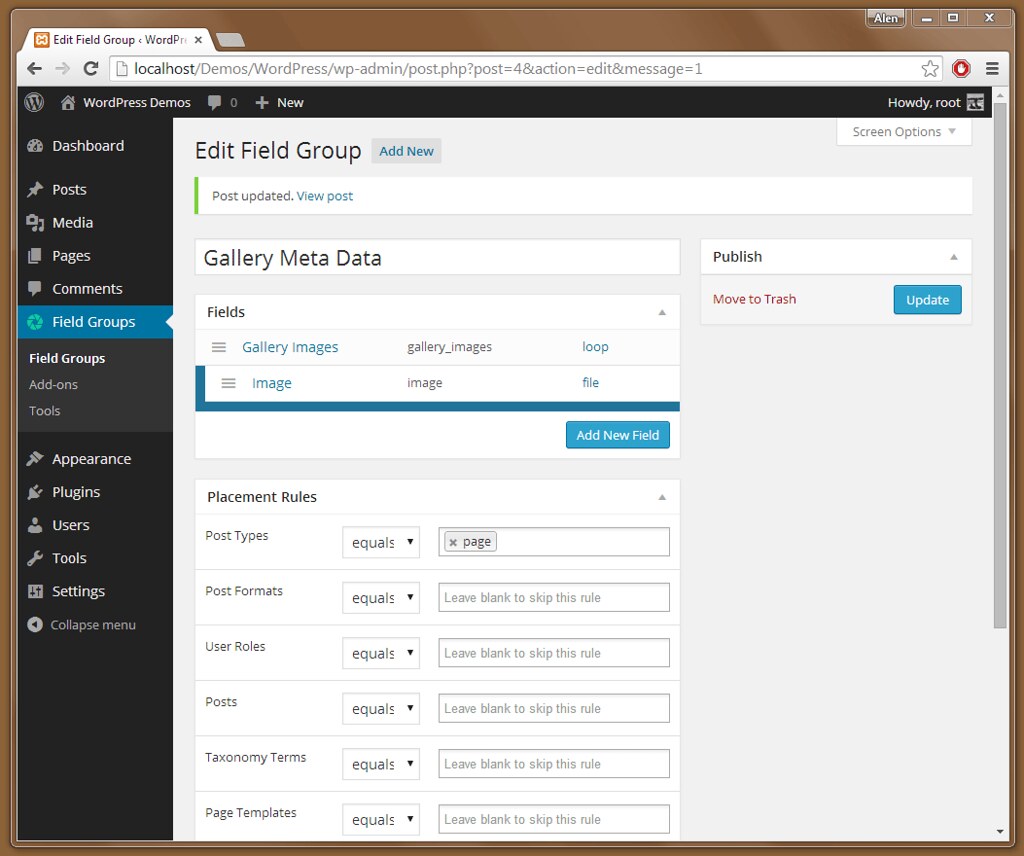
Image, field we just created, under theGallery Imagesit needs to be a child of the Loop, Hit Update Figure 3
##Adding Meta Data to Pages##
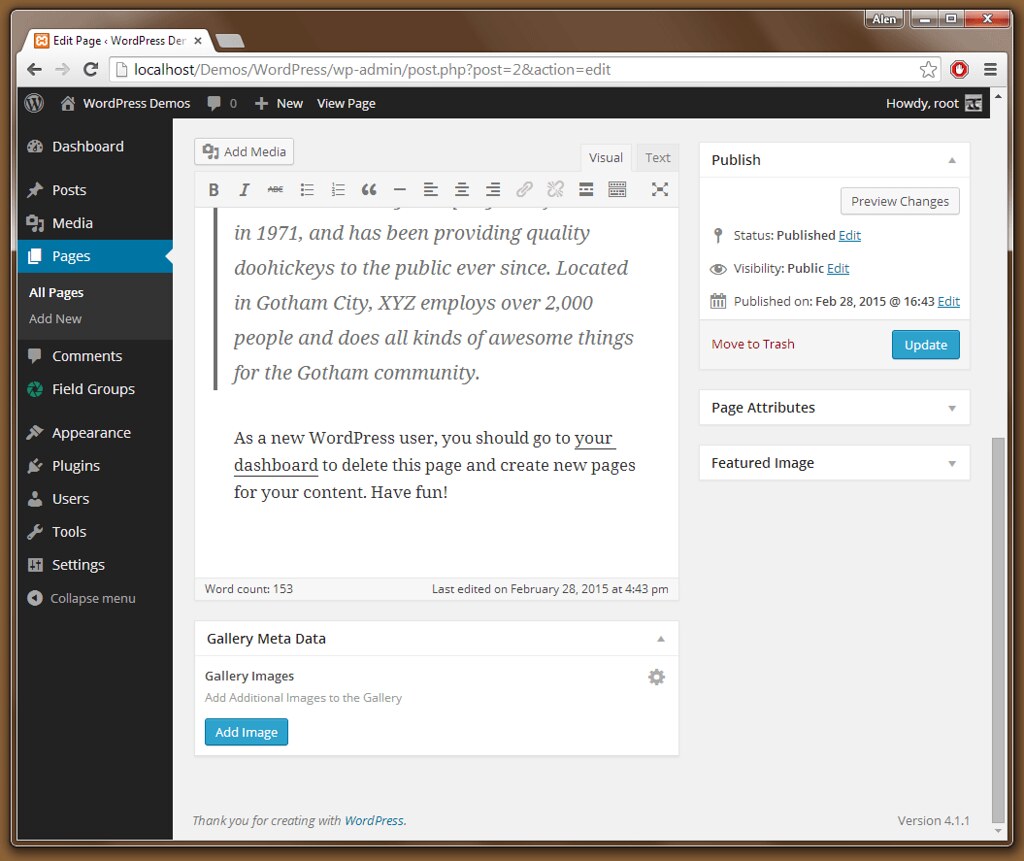
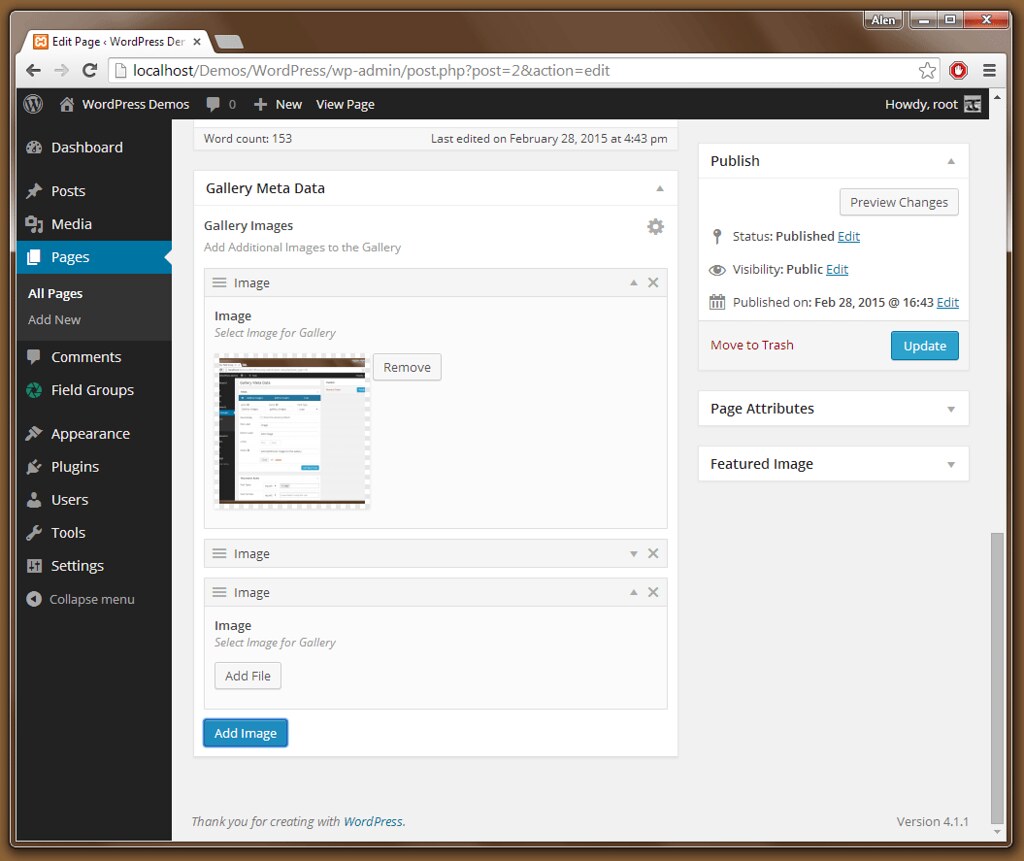
- Edit page you wish to add the Gallery Images to Figure 4
- Keep hitting
Add Imageto add additional images Figure 5
##Getting the Data##
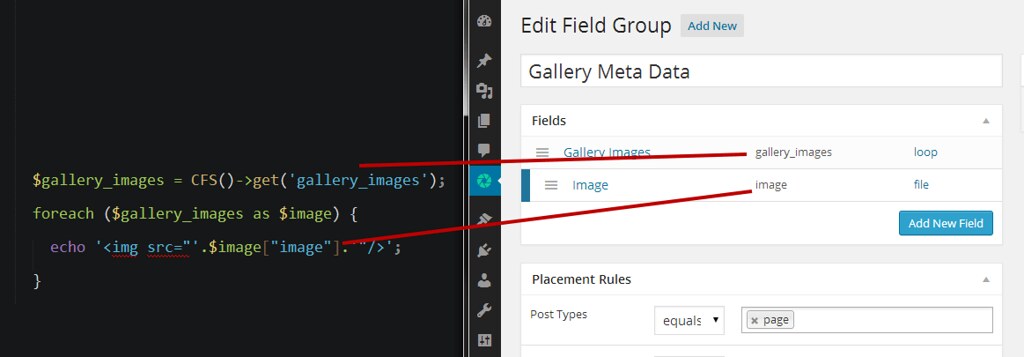
  $gallery_images = CFS()->get('gallery_images');
  foreach ($gallery_images as $image) {
    echo '<img src="'.$image["image"].'"/>';
  }
Note: for get('gallery_images'), gallery_images is the value that matches the value specified in our initial setup of Custom Meta Data fields. See Figure 6
##Figures##